Courses Offered

Explore our interactive courses designed for students from classes 6 to 12 across all subjects.

Wooden tiles with letters spelling out 'ONLINE LANGUAGES' are arranged neatly on a wooden surface. Surrounding the tiles, there are a laptop, a hard drive, a smartphone, and wireless earphones.
A smartphone displays an application or webpage labeled 'Student OS', showing various menu options such as 'Classes', 'Assignments', and 'Notes'. It is placed in front of a blurred computer monitor on a desk, with a keyboard visible in the background. The lighting suggests a warm and cozy indoor setting.
Interactive Learning

Engage with tools that make studying smarter and more enjoyable for all subjects and chapters.

Personalized Guidance

Receive tailored support and unlimited practice opportunities to excel in board and competitive exams.

Frequently Asked Questions

What is iquest 2.0?

iquest 2.0 is a digital learning platform for students in classes 6 to 12, covering all subjects.

How does iquest 2.0 work?

It offers interactive tools, simple explanations, and practice quizzes to enhance learning and engagement.

Who can use iquest 2.0?

Students from classes 6 to 12 can use iquest 2.0 for board exams and competitive test preparation.

What are the benefits?

It provides personalized guidance and unlimited practice opportunities for effective learning.

Is iquest 2.0 free?

Please check our website for subscription details and pricing options.

Can iquest 2.0 help with exams?

Yes, it is designed to help students achieve top scores in board exams and competitive tests.

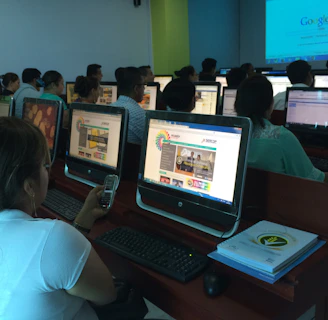
A group of people seated in a computer lab, each facing a desktop computer. The monitors display a website with text and colorful graphics. The room is dimly lit, with a presentation projected on a screen in the background. One person is holding a phone, and there are books or notebooks on the desk.

Courses

Engaging digital learning for classes 6 to 12.

Two children are focused on working together at a laptop, with one pointing at the screen displaying a colorful, cartoon-like program. The setting suggests a classroom with various supplies and a bulletin board visible in the background.
A tablet screen displaying a grid of educational and game app icons with labels, including Google Chrome, Kahoot!, and others. The screen is held in a person's hand.
A traditional classroom setting with a large dark chalkboard mounted on a light blue wall. The ceiling has wooden beams and wire mesh, allowing natural light to filter through. The floor appears to be concrete.